


Proxmark 3 Easy - Iceman Edition - RFID Reader/ Writer


Product information "Proxmark 3 Easy - Iceman Edition - RFID Reader/ Writer"
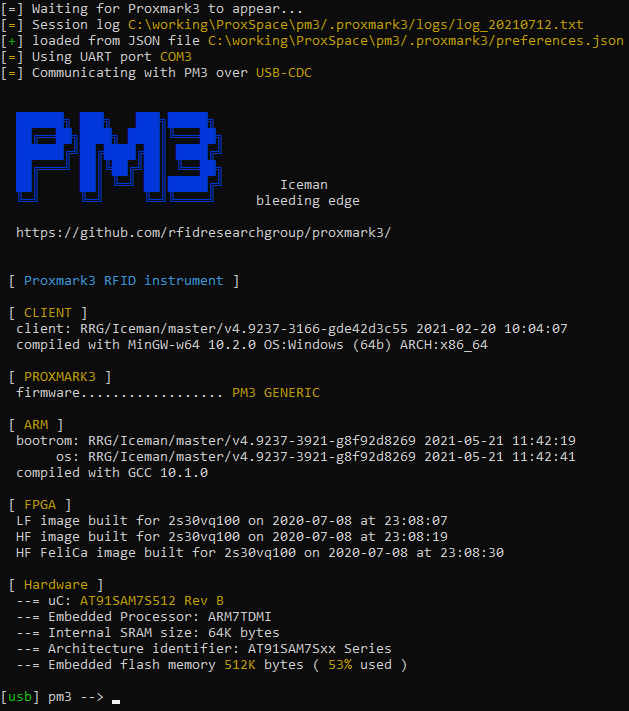
The famous Proxmark3 Easy "ICEMAN", but with 512kB memory and the Iceman / RRG Bootloader and Firmware-Image Software pre-installed!
No more fiddling with cryptic Chinese bootloader upgrades just to finally get decent firmware on your Proxmark3!
Be sure to read the guide for getting started!
- Proxmark3 Easy 512kB memory
- Iceman / RRG (2020-09-24 release)
- incl. 2 "Magic 1k gen 1a Mifare Classic" and 2 "t5577 RFID" cards.
More details
The Proxmark3 is the de facto standard RFID diagnostic, testing, and programming tool. The Iceman/RRG firmware is considered the top in features and functionality, offering a vast array of extremely useful and convenient commands and LUA scripts for automating chip identification, penetration testing, and programming.
NOT COMPATIBLE WITH PROXLF – The ProxLF antenna is specifically designed for use with the RDV4 version of the open-source diagnostic tool Proxmark3. The RDV4 version of the Proxmark3 is designed with modular antennas, meaning the tuning capacitors of the antenna network are located on the antenna module. All other Proxmark3 devices, including the "Easy" version, do not have modular inductor antennas. It is not possible to use the ProxLF antenna with any other version of the Proxmark3 except the RDV4 version.
Iceman
Chris "Iceman" Herrmann is one of the many open-source developers for the Proxmark3 platform, but his work goes beyond simple fixes and includes major revisions to features and the user interface. His work is invaluable to Proxmark3 hardware owners, and he deserves our support. You can reach him at @herrmann1001
Getting Started
If you're new to implants or RFID, saying that the (original) Proxmark3 is a notoriously unfriendly device is still an understatement. First of all, it comes with no software. You have to compile the firmware and client software yourself. Doing this on Windows requires some special setup. Our Proxmark, on the other hand, is "ready-to-go". It already comes with the "Iceman" software!
<iframe width="560" height="315" src="https://www.youtube.com/embed/q6k4ueWrnec?controls=0" title="YouTube video player" frameborder="0" allow="accelerometer; autoplay; clipboard-write; encrypted-media; gyroscope; picture-in-picture; web-share" allowfullscreen></iframe>
<iframe width="560" height="315" src="https://www.youtube.com/embed/CzWsAd_b07s?si=wxNgvIly32kAXEUw" title="YouTube video player" frameborder="0" allow="accelerometer; autoplay; clipboard-write; encrypted-media; gyroscope; picture-in-picture; web-share" allowfullscreen></iframe>
<iframe width="560" height="315" src="https://www.youtube.com/embed/F-KPVlyIxrA?si=RlNEBGUmuYailUk5" title="YouTube video player" frameborder="0" allow="accelerometer; autoplay; clipboard-write; encrypted-media; gyroscope; picture-in-picture; web-share" allowfullscreen></iframe>
<iframe width="560" height="315" src="https://www.youtube.com/embed/72LwCcDqqss?si=zdi6z6km7tle42QL" title="YouTube video player" frameborder="0" allow="accelerometer; autoplay; clipboard-write; encrypted-media; gyroscope; picture-in-picture; web-share" allowfullscreen></iframe>
Please also read the Getting started with the Proxmark3 Easy forum post.
https://github.com/Proxmark/proxmark3/wiki/commands
Note: The Proxmark Easy may visually differ from the photo
Anmeldung
Login